


GoPro Quik: Video Editor
4.527.70K Reviews
App Specs
- Version
- Varies with Device
- Updated On
- License
- Free
- Downloads
- 50,000,000+
- Developer
- GoPro
- Categories
- Video Players & Editors
- Platform
- Android, iOS
Screenshots
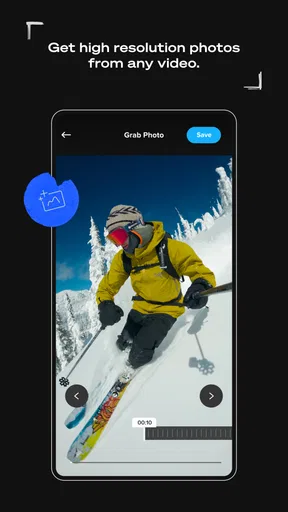
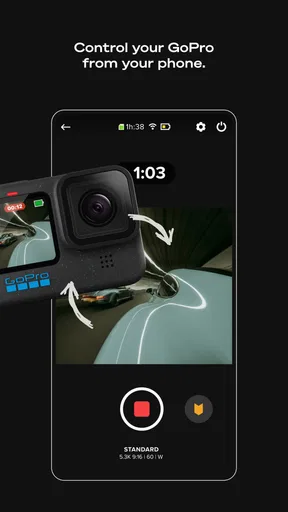
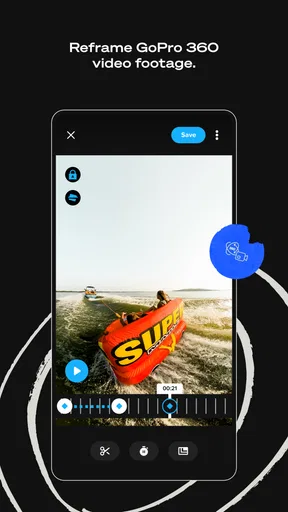
 Analysis by AppCompare
I find GoPro Quik: Video Editor most appealing when I have a handful of clips and want to turn them into something watchable without setting aside an evening to edit. It is a video-editing app from GoPro, aimed at making the path from camera roll to finished video feel manageable. Its first-week charm comes from speed: I can start with everyday footage, let the app assemble a draft, then decide whether it needs a little personal attention. The more important question, though, is whether that convenience keeps earning its place once the novelty wears off.
From quick first edits to a lasting habit
I look at the first few edits as a test of whether a quick montage genuinely saves me effort, rather than just making a good first impression. Once that initial ease is clear, the more useful question is what keeps the app worth opening in ordinary months, when there is no special trip or big event to edit.
Why the first week feels easy
On opening the app, I was greeted with a sleek and intuitive interface. The design is clean, making navigation a breeze. It’s clear that GoPro Quik is built for both newbies and seasoned video editors, so whether you're just getting started or looking to streamline your process, you'll feel right at home.
One of the first things you'll notice is how the app automatically imports your media. No more endless scrolling through your gallery to find those perfect clips. It's like having a personal assistant who knows exactly what you need.
The first-week appeal is especially clear after a day out when I have several short clips but no single obvious story. Instead of opening a full desktop editor, I can gather moments into one place and see whether an automatic edit gives them a useful rhythm. That quick first draft is valuable even when I later change it: it helps me decide which moments belong together before I spend time polishing anything.
Features to Love
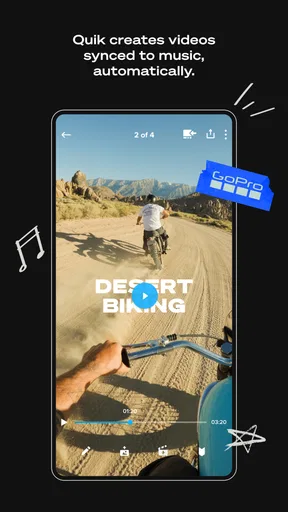
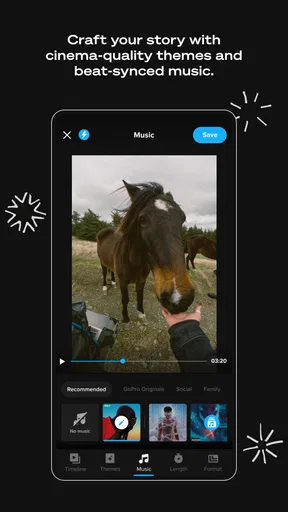
Let's talk features because this app is packed with them. The Smart Editing tool is a game-changer. It analyzes your clips and picks out the best moments, syncing them to the beat of your chosen music. It's almost like magic; even the most mundane clips transform into something cinematic.
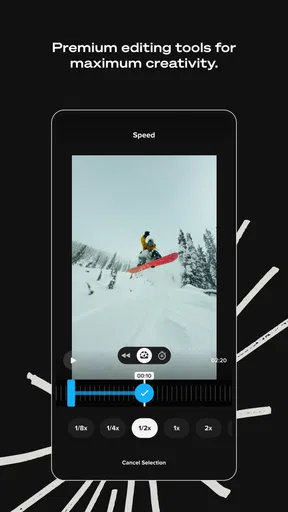
Customization is another strong suit of GoPro Quik. While the smart edit is fantastic for quick projects, you can also dive deeper to tweak transitions, add text, and apply filters. It’s super satisfying to see your video evolve from raw clips to a polished piece with just a few taps.
Worth Reading Before You Choose

Flipboard Shows What News Apps Must Do Beyond the Feed

Switching to Android Auto Means Rethinking Your Driving Routine

Google Calendar Makes a Crowded Week Easier to Manage

Ludo King Makes the Most of the Minutes Between Plans

Baby Panda World Brings Quick Play to Modern Phones, but Its Game Library Feels Busy

ESPN’s Live Game View Makes Following Close Games Easier
I get the best results when I treat the automatic cut as a starting point rather than a final authority. If a clip contains a brief moment that matters to me—a friend’s reaction, the finish of a hike, or a child’s first attempt at something—the app may not choose that precise beat as its highlight. I review the sequence before sharing and keep an eye out for important context that a fast montage might trim away.
A practical workflow is to choose a clear theme before selecting footage: one outing, one recipe, or one small event. A mixed batch of unrelated clips can still produce a lively edit, but it is more likely to feel like a collection than a story. Keeping the selection focused gives the music and transitions a better chance to support the subject instead of distracting from it.
Music and Sound
Music can make or break a video, and GoPro Quik has you covered with a library of free, royalty-free tracks. Whether you're aiming for something upbeat or mellow, there's a soundtrack to match. You can also add your own music if you want that personal touch.
I would still listen through the finished video before sending it to anyone. Music that fits a montage can compete with speech or other sounds that make a clip meaningful. If someone is explaining something, laughing, or reacting in the moment, I consider whether the soundtrack should take a quieter role—or whether that section should be left out of a music-led edit altogether.
Sharing Made Simple
Once your masterpiece is ready, sharing it with the world is straightforward. The app lets you export videos in high definition, making sure your memories look crisp and clear. Plus, you can directly upload to social media platforms like Instagram and Facebook, or save it to your device for later.
For an everyday example, imagine I record a weekend walk in short bursts: a view from the trail, a few steps on the path, and a stop for coffee afterward. I can make a brief recap for friends, save a copy to my device, and send it when I have a moment. That is a better fit for Quik than trying to turn the same casual footage into a tightly narrated travel film. The app helps me get to a shareable result, but I still need to choose what I want the video to say.
Before sharing, I check the framing and the order of clips on the destination I have in mind. A video that looks balanced on a phone may not communicate as well when viewed elsewhere, and a fast sequence can be hard to follow if every shot is very short. Saving a copy first is also a sensible habit when I want to keep a personal version separate from a social post.
Performance and Usability
On the performance side, GoPro Quik runs smoothly. I tested it on both Android and iOS devices, and it didn't disappoint. The edits render quickly, and I didn’t experience any crashes, which is always a plus. Even when working with high-resolution clips, the app handled them like a pro.
The app’s usefulness over time depends less on making a video every day and more on whether it removes enough friction when a worthwhile batch of footage builds up. For me, a monthly recap or a short record of a family occasion is a realistic rhythm. If I only open an editor a few times a month, a quick first cut can still be handy; if I never look back at the results or share them, even a convenient workflow will not create a habit by itself.
Room for Improvement
No app is perfect, and GoPro Quik is no exception. While the automatic editing is impressive, there were moments where it didn’t quite hit the mark, requiring a bit of manual intervention. A few more advanced editing features would also be a welcome addition for users looking to push their creative boundaries.
That distinction matters when choosing between Quik and a more traditional editor. If I want fine control over a complicated sequence, careful audio mixing, or a very specific visual treatment, I would rather use a tool built around detailed timeline work. Quik makes more sense when speed and a guided edit matter more than controlling every cut. It is not a replacement for every video editor; its strongest role is helping ordinary footage become a compact, finished piece without demanding a large learning investment.
The automatic approach also has a trade-off: a polished-looking montage can hide the fact that the story is unclear. I find it worth watching the whole export once, not just checking the opening frame. That final pass can reveal a clip that appears in the wrong order, a transition that feels abrupt, or a moment that should have been kept longer. A few seconds of review can prevent a quick edit from feeling careless.
Another point to consider is the subscription model. While the basic features are free, unlocking the full potential of GoPro Quik requires a subscription. For avid video creators, it’s worth it, but casual users might find the free version sufficient.
The app is free to download, with in-app purchases ranging from around two dollars to around one hundred dollars per item. I would try the free experience against my actual routine before spending: make a small edit from clips I already have, see whether the available controls are enough, and only consider paid access if I repeatedly run into a specific limitation. That is a better test than paying because a feature list sounds appealing in theory.
Who is likely to keep using it?
Quik is a strong match for people who capture plenty of short footage and want to share it without learning a complex editing workflow. GoPro owners may find that a GoPro-made editor fits naturally into their camera-centered routine, but the app can also make sense for someone sorting ordinary phone clips. It is particularly useful when the goal is a short recap, not an elaborate production.
I would steer away from it if editing itself is the main creative hobby. Someone who wants detailed control over timing, layered visuals, or a carefully shaped soundtrack may feel constrained by a faster, more automated approach. It may also be unnecessary for a person who records only an occasional clip and is already happy with the basic editing tools on their phone. The right choice depends on whether Quik saves effort often enough to justify maintaining another app in the routine.
As a video player and editing app, it sits on the convenient end of a category that includes simple phone editors and more hands-on timeline tools. Compared with the usual quick-edit option, its appeal is the GoPro identity and the emphasis on assembling footage into a music-led result. Compared with a more advanced editor, it gives up depth for speed. Neither side is automatically better: I would choose based on whether I want a good-enough montage soon or precise control over every decision.
Keeping the workflow from becoming a chore
Maintenance is mostly about keeping the editing process intentional. If I import or select everything indiscriminately, finding a coherent set of moments becomes its own task. I get a cleaner result by first narrowing footage to the clips that belong to one occasion, then choosing music and reviewing the draft. This small bit of preparation makes the automatic tools more useful and reduces the time spent correcting a sequence that never had a clear focus.
There is also a fatigue risk in relying on the same quick montage style for every occasion. Similar pacing and music can make a birthday, a walk, and a trip feel interchangeable. I use the format when it suits the material, but I do not force every memory into a highlight reel. Sometimes keeping a clip on its own preserves more of the moment than dressing it up as a finished video.
GoPro is the developer, and the app has been available since November 12, 2012. It is rated for Everyone, with an average rating of 4.5 from around 1.1 million ratings; it has over 10 million installs and around 27,000 written reviews. Those figures suggest a broad audience, but they do not tell me whether its particular balance of automation and control will suit my habits. I would judge that by making a real edit rather than by popularity alone.
Final Thoughts
All in all, GoPro Quik: Video Editor is a fantastic tool for anyone looking to create videos without the hassle. It's user-friendly, loaded with features, and makes video editing feel less like a chore and more like an art. Whether you're documenting a vacation or just capturing everyday moments, this app has the potential to turn your clips into something truly special. So, give it a shot and see what amazing creations you can come up with!
My long-term verdict is more measured: I would keep it installed if I regularly have footage that deserves a short, shareable edit and I value getting to a first draft quickly. Its lasting value comes from lowering the effort between recording and revisiting a memory, not from replacing a dedicated editing setup. Try it with one focused set of clips, inspect the result carefully, and see whether the convenience changes what you actually do with your videos. If it does, Quik can earn a regular place; if you need deep control or rarely edit, a simpler built-in option—or a more capable timeline editor—may be the better fit.
Pros
- User-friendly interface with intuitive controls.
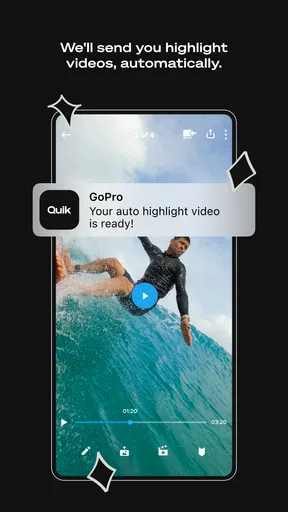
- Offers automatic edits for quick results.
- Rich library of music and soundtracks.
- Supports high-resolution video exports.
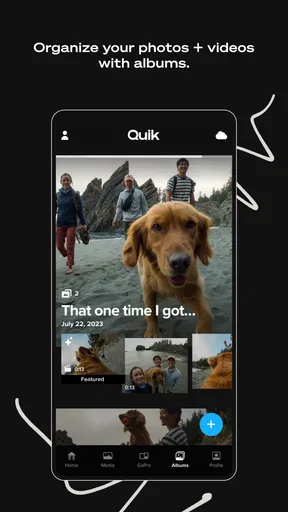
- Cloud backup for easy media storage.
Cons
- Limited advanced editing features.
- Subscription required for full access.
- Occasional app crashes reported.
- Lacks detailed tutorial guides.
- Watermark on free version exports.
FAQs for GoPro Quik: Video Editor
What is GoPro Quik and what are its main features?
GoPro Quik is a video editing app designed for both Android and iOS devices, allowing users to effortlessly edit and enhance their videos. Key features include auto-edits, themes, filters, and music synchronization. It also offers cloud backup and supports both GoPro footage and content from other devices, making it versatile for all types of video creators.
Is GoPro Quik suitable for beginners?
Yes, GoPro Quik is ideal for beginners due to its user-friendly interface and automated editing tools. The app simplifies the editing process with its intuitive design, offering one-tap edits and pre-set themes that require minimal effort. This makes it accessible for users with no prior editing experience.
Does GoPro Quik require a subscription for full features?
While GoPro Quik offers a free version with basic features, a subscription is needed to unlock its full potential. The subscription includes benefits like unlimited cloud storage, access to premium themes and filters, and a more extensive music library. This provides a comprehensive editing experience for those willing to invest.
Can I use GoPro Quik with videos from other devices?
Absolutely! GoPro Quik is not limited to GoPro footage alone. Users can import videos and photos from other devices, making it a versatile tool for any content creator. This flexibility allows users to edit videos captured from smartphones or other cameras seamlessly alongside GoPro content.
What are the system requirements for installing GoPro Quik?
GoPro Quik requires a device running on Android 7.0 or later, or iOS 13.0 or later. Adequate storage space and a stable internet connection are recommended for optimal performance, especially for cloud-based features. Ensuring your device meets these requirements will guarantee smooth operation and access to all available features.


